Web Analytics Tracking Beacon
The goal of this page is to describe the redesign of the Web Analytics portion of Caskalytics
Background
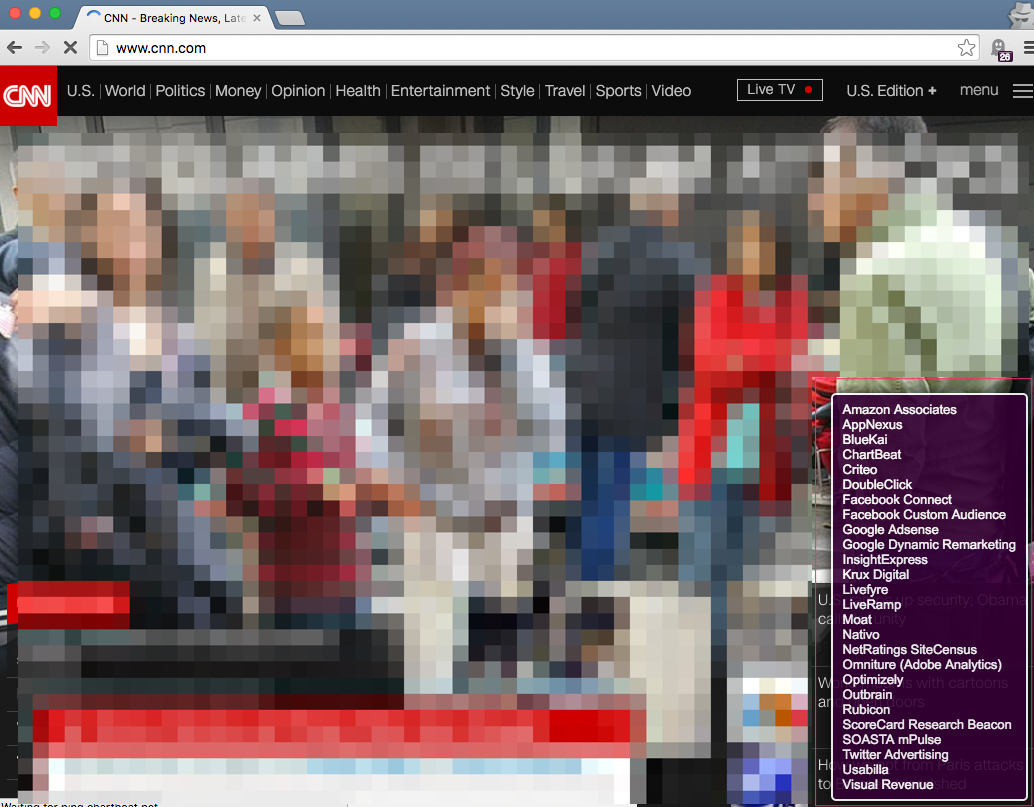
Much of the tracking that happens on the web today is done via beacons (pixels, tags, etc) that are requested from a 3rd party server when the website user loads a webpage as seen below.
Probably the most popular tracker used online in Google Analytics. The system consists of two parts. The first is a small piece of javascript that runs on the client's browser to gather specific page information such as url, page title, screen resolution and other metrics. A full list of the metrics collected can be found here: https://developers.google.com/analytics/devguides/collection/protocol/v1/parameters#aip
And here is a sample request made to Google Analytics from the browser:
http://www.google-analytics.com/collect ?v=1 &_v=j41 &a=2076467505 &t=pageview &_s=1 &dl=http%3A%2F%2Fdocs.cask.co%2Fcdap%2F3.4.0-SNAPSHOT%2Fen%2Fsearch.html%3Fq%3Dcdap%2Bconfiguration%26utm_campaign%3Dcampaign%26utm_source%3Dsource%26utm_medium%3Dmedium%26utm_content%3Dcontent%26utm_keyword%3Dkeyword &ul=en-us &de=UTF-8 &dt=Search%20%E2%80%94%20Cask%20Data%20Application%20Platform%203.4.0-SNAPSHOT%20Documentation &sd=24-bit &sr=1280x800 &vp=1265x235 &je=0 &fl=21.0%20r0 &_u=QCCAgAAB~ &jid=17949930 &cid=1415295176.1456379066 &tid=UA-XXXXXX-X >m=GTM-XXXXXXX &z=1909841856
The second part of the system is the endpoint that handles the request from the tracking code. The service collects the information passed to it from the url as well as the request headers including Referer, User-Agent, Cookies, and Remote Ip Address. This information is stored in a datastore and metrics are calculated, both in real time as well as batched.
Important Features of a Tracking Pixel
- Versioned - each request is versioned so that if non-compatible changes are made to the API, they can continue to support legacy code
- Property Ids - This allows multiple websites to be tracked from the same endpoint
- Client Id - This is a unique identifier for the user and is stored in a cookie on the user's browser. If the user clears their cookies, a new client id is generated. This is used to calculate new vs returning visitors.
- Campaign/Source tracking - By adding url parameters to their url, a site owner can record the source of where the user came to the site from. Sometimes this information can be obtained from the referrer, but in the case of https or redirects, that information can be missing or not accurate. If a user lands on your page with specific campaign and source information, you can be relatively certain thats where they came from. NOTE: These tracking parameters "leak" as urls are copied and shared so switching campaigns regularly is advised.
- Multiple Activities - The most common activity is pageview, but other activities a person performs could be useful as well such as transactions or events.
- Timings - Allows analytics to track dns lookups and page load times.
- Cache Buster - Usually a randomly generated number or timestamp which avoids browser caching of the image being requested
Requirements for Caskalytics Tracking Pixel
- The Caskalytics should pass and store the following dimensions, some of which will be further processed to extract additional information.
- IP Address
- Visitor Id
- Full Page Url
- Page Title
- Full Referring Url
- User Agent String
- Screen Resolution
- Viewport Resolution
- These secondary metrics can be extracted from the data stored above
- Hostname (from full page url)
- Path (from full page url)
- Referring Source (from referral url)
- Referring Path (from referral url)
- Standard Campaign Parameters (from full page url)
- Campaign
- Source
- Medium
- Content
- Keyword
- OS and Browser data extracted (from User Agent)
- OS
- OS Version
- Browser
- Browser Version
- Location based (from IP Address)
- ISP (where the ip address is registered to)
- Continent
- Country
- Region (or State)
- City
- Postal / Zip
- Lat, Lon
- Metrics
- Pageviews
- Unique pageviews
- Sessions
- Users
- New Users
- Pages / Session
- Bounce Rate
- Avg Session Duration
High Level Components
- A minimized Javascript library and tracking snippet which can be added to any web page and will collect and send data to a predefined Caskalytics endpoint.
- A service that will handle the requests from the tracking code, store the required data, and return a 1x1.gif
- A job that runs periodically that will process the new data written to the table and split the raw information into the secondary metrics. This job should also attempt to identify bot traffic.
- A job that will run periodically to process additional calculated metrics such as pages per session and bounce rate
- A service that exposes this data via a RESTful interface
Javascript Tracking Snippet
- Responsible for constructing the request to the tracking beacon and inserting the img tag on the webpage
- Gathers the following information from the browser using Javascript
- full referrer url
- full page url
- cookie id. If no cookie present, one is created.
- Page title (from the html title tag)
- Screen and Viewport resolution
- Generate cache buster
- Data is url encoded and appended to a GET request to the server along with a version and cache buster
- Configurable params
- Endpoint url
- Property Id - A unique string used to identify the property
- Should not depend upon an external library for any of these metrics
Collection Service Endpoint
- Responsible for collecting information from beacon request and storing that information in a data store
- Additional metrics gathered in this service
- Requester IP
- User Agent String
- Time of request in UTC
- Data is written to raw data table using the key of <full page url>-<user-id>-<timestampInMilliseconds>
- Each piece of data is stored in its own column
Dimension Splitter / Bot Filter Job
- Responsible for splitting data into smaller dimensions, performing any external lookups on ids, and flagging bot traffic
- Data Splitter Job
- Splits full page url into hostname, path, query string
- Pulls customizable url params from query string such as campaign and source
- Splits referrer into referrer hostname and path
- Runs geo ip lookup on ip address to find geography information
- Runs dns lookup on IP to find ISP information
- Parses User-Agent string into OS, Version, Browser, Version
Metrics Calculator Job
RESTful Service
Unanswered Questions
- How do we handle sessions? Is it calculated real-time or after the fact?
- What criteria do we use to find bots?
- Is there other information we can gather that Google Analytics doesn't right now?
- Will the tracking script include an async queue similar to GA's?
- How is the endpoint for the service exposed to the web? Any security concerns?
Created in 2020 by Google Inc.